
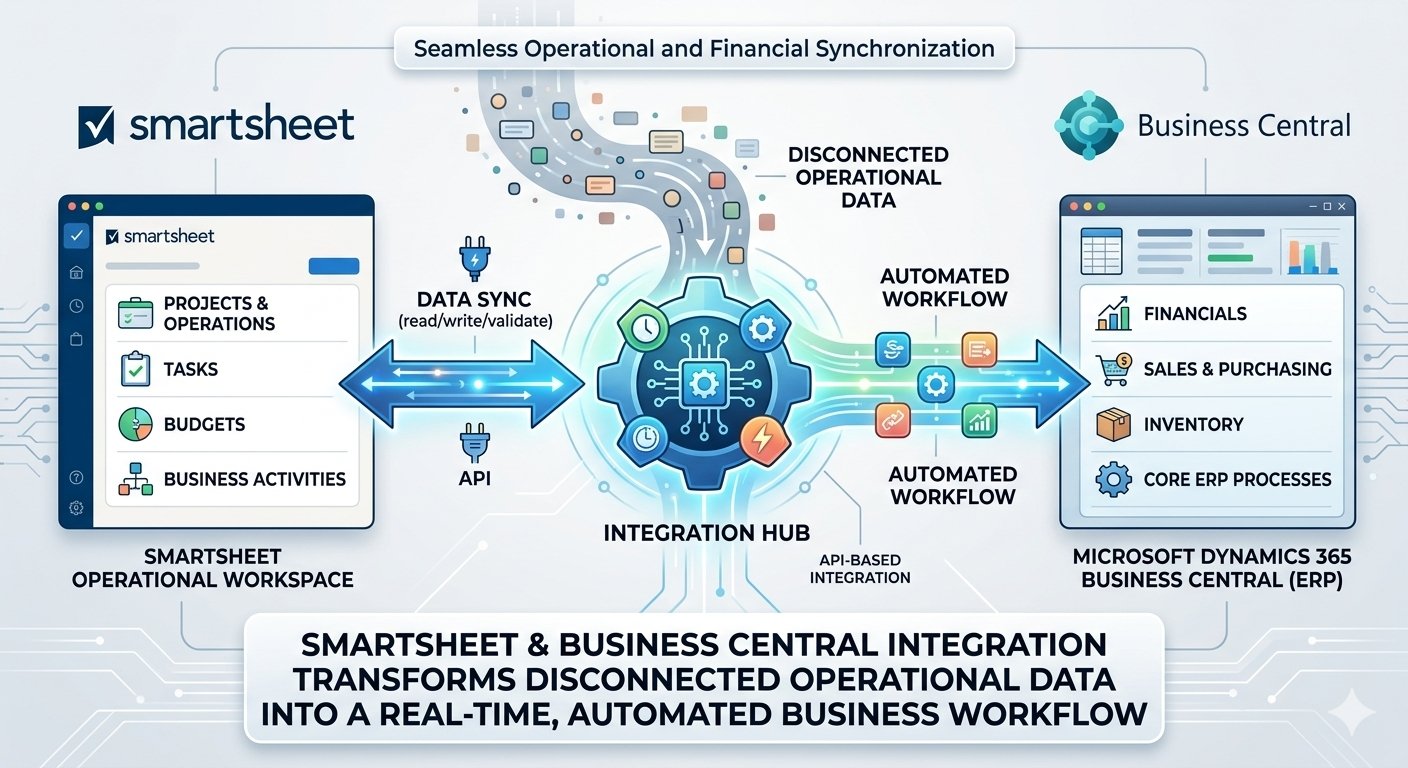
Modern organizations often use Smartsheet to manage projects, operations, tasks, and business activities, while Microsoft Dynamics 365 Business Central manages financials, purchasing, sales, inventory, and other core ERP processes. When these systems operate independently, teams may spend significant time manually transferring information between platforms. Smartsheet integration with Business Central creates a connected environment where operational data can flow between Smartsheet and the ERP system through APIs. This helps organizations reduce duplicate data entry, improve data accuracy, and maintain better visibility across business operations.
With an API-based integration, Business Central can communicate with Smartsheet to read and update sheet data, validate records, and synchronize business information. Organizations can use Smartsheet as an operational workspace while keeping Business Central as the central ERP system for structured business transactions. For example, a Smartsheet project or operations master sheet can contain customer, item, location, project, or operational information. Business Central can retrieve the required information, validate it against ERP data, and automatically update the relevant Smartsheet records. This approach helps teams work with familiar tools while keeping critical business information synchronized.
Smartsheet and Business Central integration transforms disconnected operational data into a real-time, automated business workflow.
Instead of manually exporting and importing Excel files, users can trigger synchronization between Smartsheet and Business Central using APIs and automated processes. Business Central can authenticate with Smartsheet, retrieve sheet information, validate columns and records, process the data, and update the ERP system based on predefined business rules. This enables organizations to build automated workflows for project operations, master-data synchronization, purchasing, sales, inventory, task management, and reporting while maintaining Business Central as the trusted source for ERP transactions.
0 Comments